
Claude Design is Anthropic’s fast path to first drafts
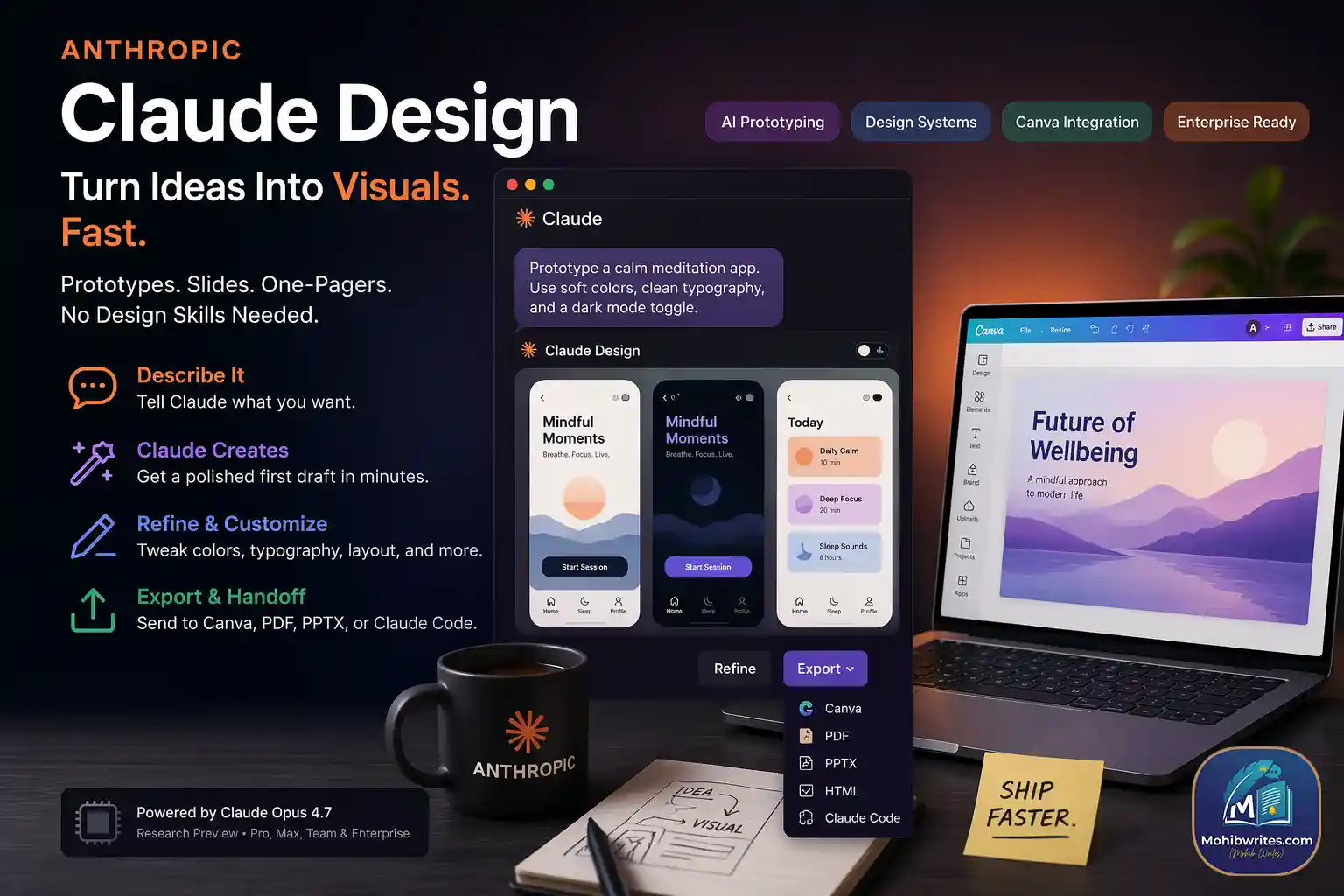
Claude Design is a way to turn a prompt into a polished visual draft without starting from a blank canvas. As of April 2026, Anthropic says the tool is in research preview, powered by Claude Opus 4.7, and available to Claude Pro, Max, Team, and Enterprise subscribers. The point is simple: help founders, product managers, marketers, and other non-designers move from idea to something visual, fast.
Why this launch matters now
This is not happening in a vacuum. Figma’s 2025 AI report, based on a survey of 2,500 users, found that 51% of AI-product builders were working on agents, up from 21% the year before, and that more than 80% of designers and developers expect AI skills to matter in their future roles. Adobe also said its new Firefly AI Assistant will work with Anthropic’s Claude, which shows the market is moving toward conversational creative workflows, not just standalone design tools.
That is the real story behind Claude Design AI and Claude AI tools in general. Teams no longer want a chat box that only writes text. They want a system that can shape a slide, mock up a feature, and hand it off cleanly. Anthropic Claude Design is aimed squarely at that gap.
What Claude Design actually does
Claude Design follows a pretty clear workflow:
- You describe what you want.
- Claude creates the first version.
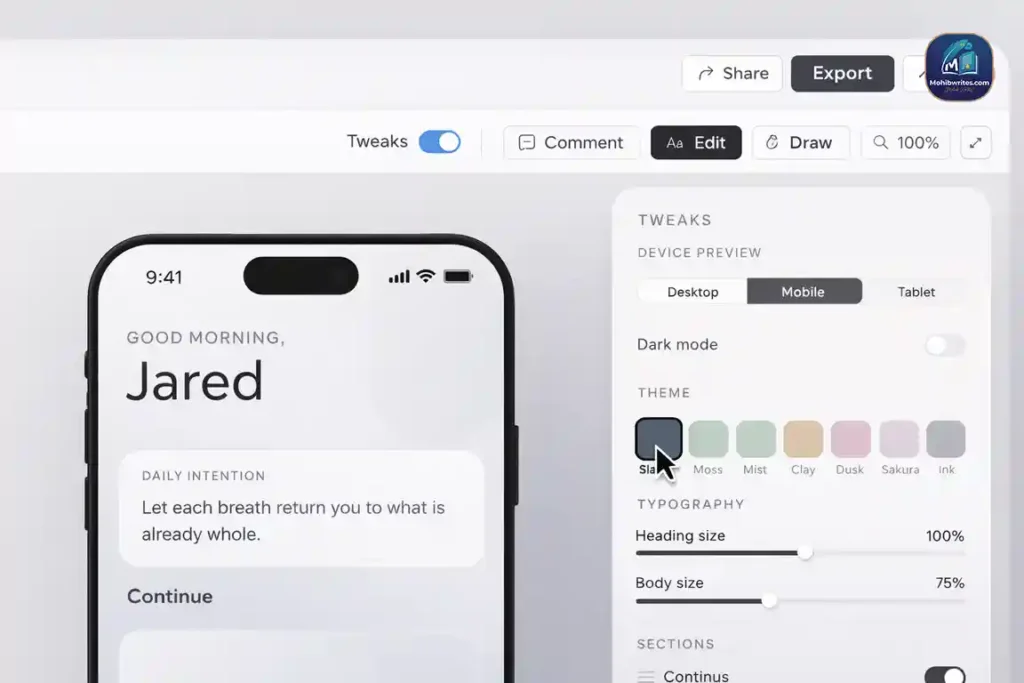
- You refine it with comments, direct edits, and adjustment controls.
- You can build a team design system from your codebase and design files.
- You can export the result to Canva, PDF, PPTX, HTML, or hand it off to Claude Code.
That export-and-handoff piece matters more than it looks. In practice, that is where claude code design becomes useful: not as a flashy demo, but as a bridge from concept to implementation. If you have ever watched a founder pitch a half-baked mockup and then wait three days for a cleaner version, you already know why this matters. Claude AI design tools are winning when they reduce that waiting time.
Claude Design is not trying to replace your stack
Anthropic further explained that Claude Design is meant to complement Canva, not replace it. That makes sense. Canva is still the place where many teams finish and collaborate. Claude Design is more of a drafting engine for people who are not starting inside a design tool and just need to get to a credible visual faster.
It also looks built for enterprise reality. Anthropic says teams can apply a shared design system automatically, keep more than one system, and collaborate with organization-scoped sharing. That means the tool is not just about pretty output. It is about consistency, governance, and speed inside a company. In other words, the business case is not “make art.” It is “ship clearer ideas.”
The practical use cases are obvious
Claude Design is strongest when the goal is not final polish, but a sharp first pass. Anthropic says teams are using it for realistic prototypes, product wireframes, pitch decks, marketing collateral, and exploratory visual work. That lines up with what I have seen work in real teams: the fastest wins happen when a founder, or marketer can create something usable before the design queue even opens.
Here’s the cleanest way to think about it:
- Founders use it to turn a rough pitch into a deck fast.
- Product managers use it to sketch flows before a formal handoff.
- Marketers use it to draft campaign visuals and landing-page ideas.
- Designers use it to explore more directions without burning hours on every branch.
The keyword people keep missing: workflow, not novelty
A lot of people will search for claude ai design or claude design ai and expect a glorified image generator. That is too small. This is really about workflow orchestration. Anthropic Claude is trying to sit between thought and output, then pass the result to the next tool in the chain. That is why the Claude Code connection matters, and why the handoff bundle feels like a real product decision instead of a side feature.
The same logic applies to the phrase “claude skill.” A claude skill is only useful when it repeats a valuable task reliably. In design, that means prompt structure, brand rules, review loops, and export paths. That is the actual design skill Claude teams need to build, not just a prettier prompt.
What to test first
If you are evaluating Claude Design for a team, start with one narrow experiment:
- Create a one-page product brief.
- Ask Claude to turn it into a slide or prototype.
- Apply your brand system.
- Export it to Canva or PPTX.
- Hand it off to Claude Code or your build workflow.
That test will tell you more than a dozen product screenshots. You will quickly see whether the tool saves time, preserves brand consistency, and produces something a real team can actually use. That is the bar. Not magic. Utility.
Bottom line
Claude Design is Anthropic’s clearest move yet into visual work for prosumers and enterprise teams. It is built for people who need a first draft, a clean handoff, and fewer hand-stitched steps between idea and execution. With Opus 4.7 underneath, Canva export on the edge, and Claude Code in the loop, Anthropic is pushing Claude AI deeper into the work itself.
What’s the very first experiment you’re going to run this week?