
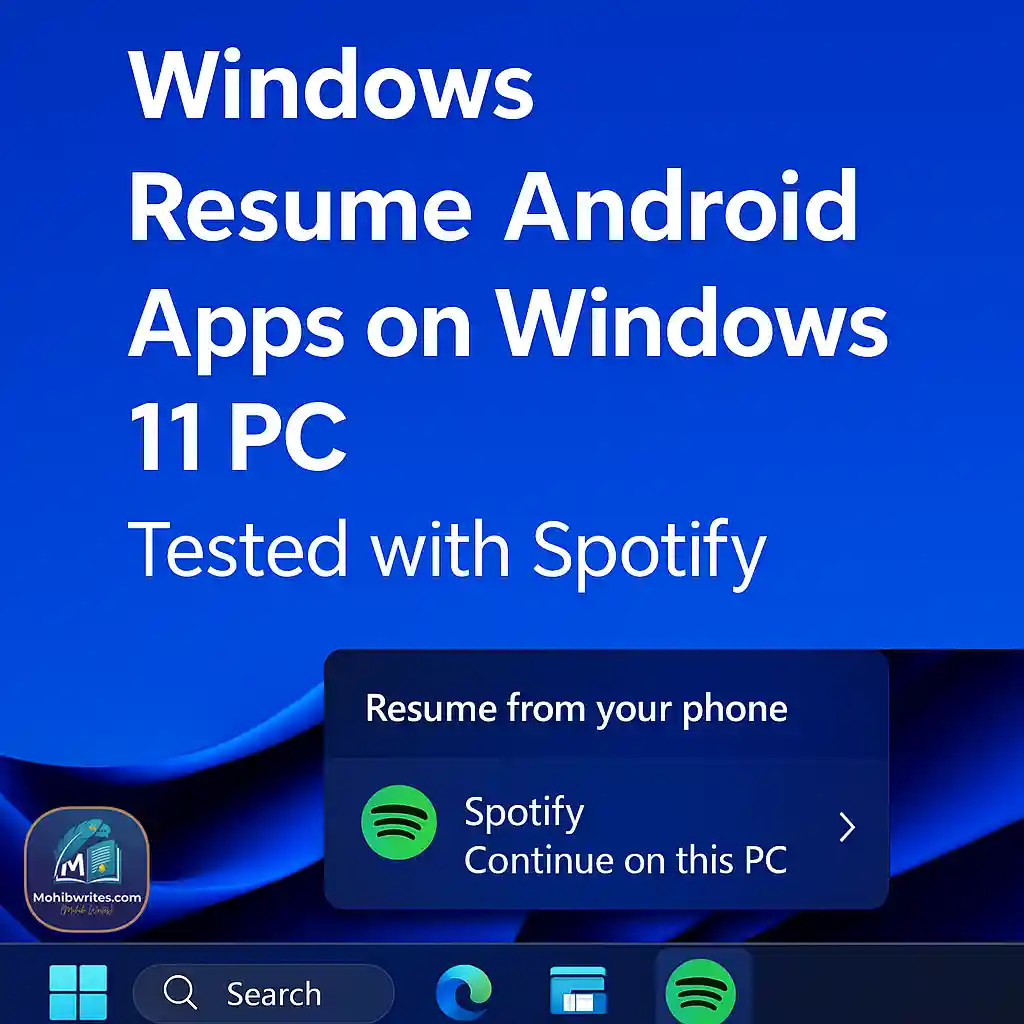
How It Works—Step-by-Step
To get started with this feature, follow these setup steps:
- Join the Windows Insider Dev or Beta channel and install Build 26200.5761 (released Aug 22, 2025).
- Enable “Allow this PC to access your mobile devices” in Settings > Bluetooth & Devices.
- Pair your Android device via the Link to Windows app (ensure it is running in the background).
- Play music or a podcast in Spotify on Android; your PC will show a “Resume from your phone” notification.
- Click the prompt; Spotify will open (or install) on your PC and resume playback exactly where you left off.
Why It Matters
- Apple-style Handoff functionality finally arrives for the Android-Windows ecosystem.
- Significantly improves cross-device workflow, starting with Spotify, with potential for further expansion.
- Strengthens the overall Phone Link ecosystem.
What’s Next & Limitations
- Currently only available for Insiders in the Dev and Beta channels; it is not yet public.
- Only Spotify is supported so far, though Microsoft has hinted that broader app support may follow.
- There is no official timeline for a general rollout or wider developer uptake.
Conclusion
In summary, resuming Android apps on a Windows 11 PC is already possible through Insider builds and Spotify. It marks a significant leap toward seamless cross-device experiences.
Want to try it? Join the Insider program and start testing today. Stay tuned for wider app support as the feature evolves.
Frequently Asked Questions (FAQs)
How do I resume Android apps on Windows 11 PC?
You must be in the Insider Dev or Beta channel (build 26200.5761+), pair your phone using Link to Windows, and play Spotify on Android. You will then see a “Resume from your phone” prompt on your Windows PC.
Which apps support this resume feature?
As of late 2025, only Spotify is supported. Microsoft may expand this functionality to other media and productivity apps in the future.
Is this feature available on stable Windows 11 builds?
Not yet. It is currently being tested in Insider Dev and Beta builds, and no official public release date has been announced.
What’s required on the phone and PC?
You must be logged into the same Spotify account on both devices. The PC needs Bluetooth and mobile device access enabled, and the Link to Windows app must be active on the Android device.



I am truly thankful to the owner of this web site who has shared this fantastic piece of writing at at this place.
Your writing has a way of resonating with me on a deep level. I appreciate the honesty and authenticity you bring to every post. Thank you for sharing your journey with us.