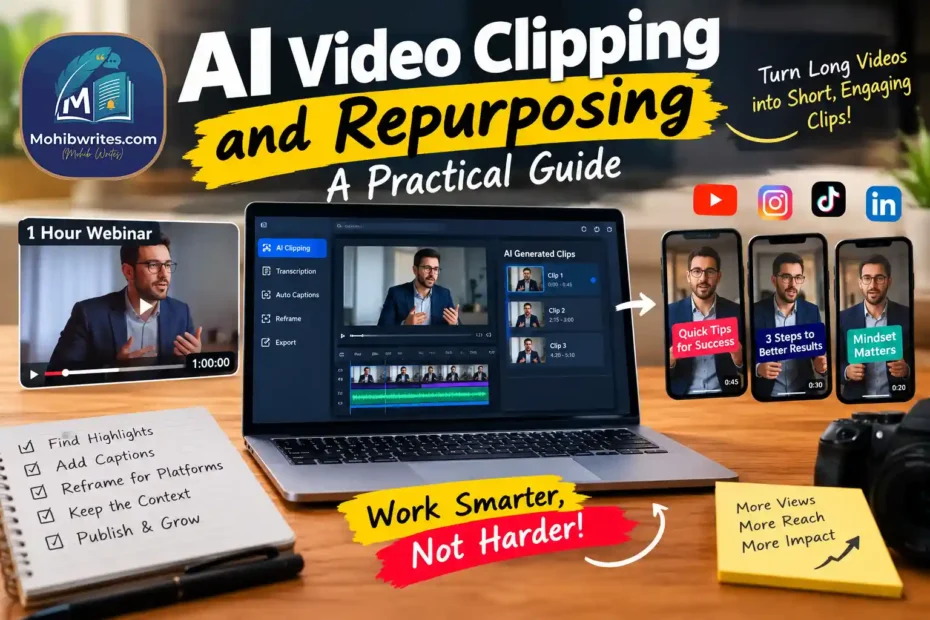
AI video clipping and repurposing tools can turn a long recording into short social videos by identifying moments, transcribing speech, reframing the image, and adding captions. They can speed up production, but they can’t reliably decide which moments deserve attention or whether a shortened clip still says what the speaker meant.
The strongest approach combines automation with editorial review. Use AI to find candidates and handle repetitive edits. Then check the context, framing, captions, rights, and fit for each platform before publishing.
What AI video repurposing does
AI video repurposing uses machine-learning features to adapt existing video for new formats and audiences. A tool may transcribe speech, detect topic changes, identify possible highlights, crop a horizontal frame into vertical video, and generate captions or titles.
“Clipping” usually means extracting a short segment from a longer recording. “Repurposing” is broader: it can also mean turning a webinar into social clips, a tutorial into a short sequence, or a podcast episode into several platform-specific edits.
These tools don’t all work the same way. Some focus on finding moments in speech. Others emphasize editing, captions, layout, or publishing. Treat a generated clip as a draft, not a finished editorial decision.
Where AI saves time—and where it falls short
AI can reduce the mechanical work of reviewing footage and creating first-pass edits. A transcript makes it easier to search for a phrase. Automated reframing can keep a visible speaker near the center. Caption generation can provide a starting point for accessibility and sound-off viewing.
But a technically clean clip may still fail editorially. An algorithm might select a sentence that sounds compelling while removing the qualification that follows. It might miss a visual demonstration, a pause that carries meaning, or a joke that needs setup.
A useful rule: automate production steps that have clear, checkable outputs; keep human judgment over meaning and emphasis. Reviewers should check the source footage around every selected moment, not just the exported clip.
A reliable workflow for turning long videos into clips
Start with a purpose
Decide what the clip should accomplish before opening an AI tool. Is it meant to answer a specific question, demonstrate one step, introduce an idea, or direct viewers to a longer resource? A clear purpose gives you a better standard for rejecting weak suggestions.
Identify the intended audience and destination, too. A clip for a professional audience may need more context than a quick entertainment edit. A platform’s audience and format should influence the edit, rather than simply receiving the same file everywhere.
Prepare the source
Use the highest-quality original recording available, with clean audio and any necessary permissions. Remove sections that should not be republished, such as private information or material you don’t have rights to use.
Upload the source to your chosen tool, then generate a transcript or candidate clips if it offers those features. If the recording has multiple speakers, check speaker labels. Automated transcription can mishear names, technical terms, accents, and overlapping speech.
Select moments for meaning, not just activity
Review proposed clips against the full conversation. Choose moments that deliver a complete thought, useful demonstration, or coherent exchange. A strong short clip usually gives the viewer enough information to understand the point without relying on a missing opening or payoff.
Don’t equate an abrupt opening with a strong hook. A surprising line can attract attention, but it can also mislead if the next sentence changes its meaning. Start near the point of interest while preserving the context that makes the statement accurate.
Edit for the destination
Check aspect ratio, framing, captions, and on-screen text. Vertical video often requires a new crop, not just a smaller version of the horizontal frame. Confirm that faces, demonstrations, and important text remain visible throughout the clip.
Read every caption against the audio. Correct names, punctuation, and specialized vocabulary. Keep captions legible and avoid covering the subject or visual details the viewer needs to see.
Platform tools and policies change. YouTube’s creator guidance explains Shorts creation features such as trimming and editing, while TikTok’s official help describes TikTok Studio tools. Check current platform documentation before relying on a specific feature or rule: YouTube Shorts creation tips and TikTok Studio help.
Review and publish deliberately
Watch the final export from beginning to end, with sound and without sound. Check for clipped words, awkward transitions, visual cropping, spelling errors, and claims that lose nuance. Verify music, footage, and other rights for the destination platform.
Give each version a relevant caption and title. Avoid posting a clip with platform watermarks or interface elements that make it look recycled. Instagram’s creator guidance discusses original content and recommendations; its original-content guidelines are worth checking when preparing posts for Instagram.
How to choose an AI clip generator
Choose a tool based on the work you need to do, not a promise that it will create viral content. Evaluate it with a representative video and compare the output with your own manual selections.
Consider these questions:
- Does it find coherent moments? Check whether clips contain complete thoughts and preserve necessary context.
- Can you correct the transcript and edit boundaries? Easy manual control matters when the model makes mistakes.
- Does reframing work for your footage? Test interviews, screen shares, demonstrations, and multi-person conversations separately.
- Can you export the formats you need? Confirm aspect ratios, file quality, caption controls, and any export limits.
- What happens to your source material? Review privacy, retention, and access terms before uploading confidential or sensitive recordings.
- Does the workflow save review time? Count the time needed to inspect and fix the output, not just the time it takes to generate it.
A tool that produces fewer but more accurate candidates may be more valuable than one that generates dozens of clips that need extensive repair.
Common mistakes to avoid
Publishing every suggested clip. Automated selection creates options, not an editorial calendar. Keep only clips that serve a clear purpose.
Removing the setup. A short excerpt can distort a speaker’s meaning if it omits a condition, answer, or caveat. Review the surrounding conversation.
Using identical edits everywhere. Different platforms and audiences can reward different pacing, framing, and context. Adapt the clip instead of treating distribution as a simple copy-and-paste task.
Trusting captions without checking them. A transcription error in a person’s name, number, or technical term can undermine trust or change meaning.
Promising performance. AI can accelerate editing, but it cannot guarantee reach, engagement, or conversions. Measure results against the content’s actual goal.
How should you measure success?
Use measures that match the purpose of the clip. For awareness, examine reach and whether viewers continue watching. For education, look at meaningful viewing and responses that show comprehension. For a campaign, track the relevant action, such as visits to a linked resource.
Compare similar clips over time, and account for differences in topic, audience, and distribution. Don’t conclude that an editing feature caused a performance change from a single post. Platform recommendations depend on many factors, and YouTube’s performance FAQ emphasizes that discovery and performance involve more than a simple posting formula.
The practical takeaway
AI video clipping works best as an editorial assistant. Let it find possible moments, draft captions, and handle repetitive formatting. Then verify each clip against the full source and reshape it for its audience and platform. The quality of the repurposing depends less on how many clips the software generates than on how carefully you choose and review them.