
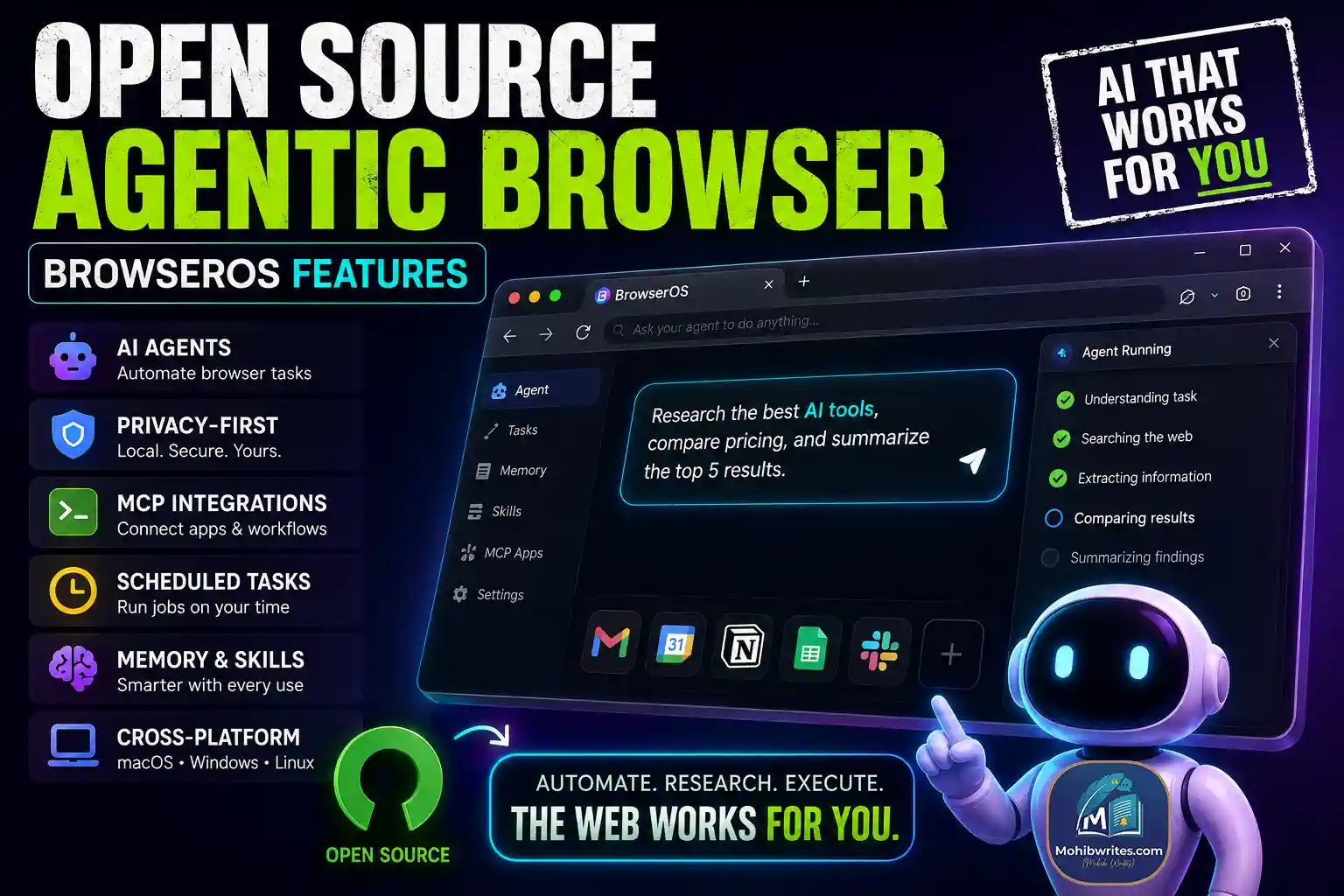
An open source agentic browser like BrowserOS lets AI agents control browser tasks—clicking, typing, navigating, researching, summarizing, and automating workflows—with the user still in charge.
That’s the real shift. Traditional browsers help you access the web. BrowserOS aims to help you operate the web.
As of August 2026, the official BrowserOS site positions it as an open-source AI browser with built-in agents, local-first privacy, support for multiple AI providers, MCP integrations, scheduled tasks, memory, and desktop support for macOS, Windows, and Linux.
What Is BrowserOS?
BrowserOS is an AI browser designed around agentic workflows. Instead of asking an assistant for instructions and then doing the clicking yourself, you describe the task in plain language and the browser agent performs the steps inside your browser.
In practical terms, that means BrowserOS can help with tasks like:
- Researching topics across websites
- Comparing prices
- Filling forms
- Summarizing emails or pages
- Working across apps through MCP servers
- Running scheduled browser tasks
- Saving useful context in local memory
The important part? BrowserOS is open source, which gives developers and privacy-focused users more visibility than a closed AI browser product usually provides.
Why BrowserOS Feels Different From a Normal Browser
Most browsers are still built around tabs, bookmarks, extensions, and manual search. Useful? Absolutely. But not built for AI-native work.
BrowserOS changes the workflow from:
“Open tab → search → click → copy → paste → repeat”
to:
“Describe the outcome → let the agent handle the browser steps → review the result.”
That’s why terms like AI browser automation, agentic browser, and local AI browser are trending. Users don’t just want answers anymore. They want completed tasks.
Key BrowserOS Features
1. Built-In AI Agents
BrowserOS includes AI agents that can interact with websites directly. They can click, type, navigate, extract information, and complete multi-step workflows.
This matters because browser work is usually repetitive. Research, lead checking, form filling, QA testing, and competitor monitoring all involve the same boring loop: open, inspect, copy, organize.
An agentic browser reduces that manual drag.
2. Privacy-First Local Workflows
BrowserOS promotes a privacy-first model where important agent context, memory, and files can stay local. That is a major distinction from cloud-only AI tools.
A privacy-first browser matters when your workflows involve:
- Calendar
- Internal dashboards
- CRM data
- Documents
- Research files
- Client or company information
Not every task should be shipped to a remote service without thought. BrowserOS gives users more control over where work happens.
3. Bring Your Own AI Model
According to BrowserOS, it supports several AI providers and can work with local model tools such as Ollama and LM Studio. That gives users flexibility.
You are not locked into one model or one vendor.
That’s useful for developers, researchers, and teams who want to test different models for speed, cost, privacy, or quality.
4. MCP App Integrations
BrowserOS supports workflows through MCP, or Model Context Protocol. In plain English, MCP lets AI tools connect with apps and services in a more structured way.
For users, this can mean workflows like:
- Summarize inbox highlights
- Create calendar tasks
- Pull CRM updates
- Save research into Google Sheets
- Turn design feedback into tickets
- Post updates to team tools
This is where BrowserOS becomes more than a browser. It starts acting like a work execution layer.
5. Scheduled Tasks
One of the strongest BrowserOS features is scheduled automation.
Instead of manually checking something every day, you can set a browser task to run hourly, daily, or on a repeated schedule.
Useful examples include:
- Tracking competitor pricing
- Collecting morning research briefs
- Monitoring product pages
- Checking job listings
- Summarizing news in a niche
- Preparing recurring reports
That’s a practical use case, not AI theater.
6. Agent Memory and Custom Skills
BrowserOS also includes agent memory and reusable skills. Memory helps the agent remember preferences and context across sessions. Skills let users define repeatable instructions.
For example, a marketer could create a “content brief” skill. A developer could create a “test staging page” skill. A founder could create a “daily briefing” skill.
That turns one-off prompts into repeatable workflows.
Who Should Use BrowserOS?
BrowserOS is especially useful for people who already live in the browser.
That includes:
- Founders managing scattered workflows
- Developers testing web apps
- Marketers researching and publishing content
- Sales teams working across CRM and email
- Researchers tracking web data
- Executive assistants handling inbox and calendar tasks
- Operators who repeat browser-based work every day
If your work involves ten tabs and the same clicks every morning, BrowserOS is worth watching.
The Practical Takeaway
BrowserOS is best understood as an open source agentic browser built for AI-powered web execution. It combines AI browser automation, local-first privacy, MCP integrations, scheduled tasks, memory, and cross-platform desktop support.
The first experiment is simple: pick one browser task you repeat every week and test whether BrowserOS can automate it safely. Research summaries, price checks, inbox triage, and form-filling are good places to start.
The browser used to be where work happened. BrowserOS wants it to become the tool that helps finish the work.